openshift 환경에 service mesh 환경을 구성한다.
istio operator를 Red Hat OpenShift Service Mesh operator라는 이름으로 제공하고 있다.
서비스메시가 설치된 네임스페이스외의 다른 네임스페이스를 서비스메시 멤버로 추가하기 위해,
우선 특정 네임스페이스에 istio control plane을 구성한다.
grafana, prometheus, kiali, jaeger를 함께 구성해준다.

apiVersion: maistra.io/v2
kind: ServiceMeshControlPlane
metadata:
  name: basic
  namespace: mesh-project
spec:
  addons:
    grafana:
      enabled: true
    jaeger:
      install:
        storage:
          type: Memory
    kiali:
      enabled: true
    prometheus:
      enabled: true
  gateways:
    ingress:
      runtime:
        container:
          env:
            ISTIO_META_HTTP10: '1'
  policy:
    type: Istiod
  profiles:
    - default
  proxy:
    concurrency: 6
    envoyMetricsService:
      enabled: true
    networking:
      trafficControl:
        inbound: {}
        outbound:
          policy: ALLOW_ANY
  telemetry:
    type: Istiod
  tracing:
    sampling: 1000
    type: Jaeger
  version: v2.4
그리고 멤버가 될 어플리케이션이 배포되는 네임스페이스를 멤버로 지정한다.
kind: ServiceMeshMemberRoll
apiVersion: maistra.io/v1
metadata:
  name: default
  namespace: mesh-project # ServiceMesh ControlPlane이 있는 namespace
spec:
  members:
    - app-project # 대상 application namespaces

---
# ServiceMeshMember는 위의 ServiceMeshMemberRoll이 생성되면 자동으로 생성되므로 참고만 한다. 다른 네임스페이스를 멤버로 편입할시!
apiVersion: maistra.io/v1
kind: ServiceMeshMember
metadata:
  annotations:
    maistra.io/created-by: servicemeshmemberroll-controller
  name: default
  namespace: app-project
spec:
  controlPlaneRef:
    name: basic
    namespace: mesh-project
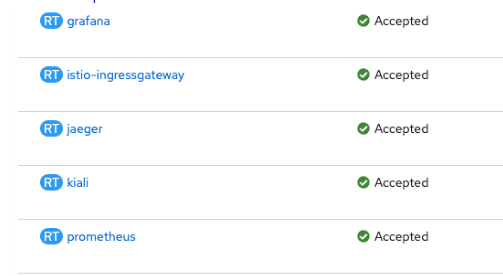
컨트롤 플레인이 mesh-project에 배포되면서 추가했던 다른 도구들도 올라온 것을 확인할 수 있다.
envoy sidecar injection을 위해 namespace에 label을 추가하고,
app container에 annotation을 추가해보자.
# app project namespace
# ... 생략
metadata:
  labels:
    istio-injection: enabled

# ... 생략

---

#application
# ... 생략
spec:
  template:
    metadata:
      annotations:
        sidecar.opentelemetry.io/inject: 'true'
        sidecar.istio.io/inject: 'true'
        proxy.istio.io/config: |
          holdApplicationUntilProxyStarts: true # envoy proxy가 완전히 start된 이후에 어플리케이션 실행

# ... 생략
이제 이어서 gateway, virtualservice와, egress 설정을 해보자.
728x90
'CloudNative > Orchestration & Management' 카테고리의 다른 글
| Openshift service mesh gatway, virtualservice, serviceEntry (1) | 2024.11.10 |
|---|---|
| metallb (1) | 2024.04.12 |
| Windows11 + docker desktop k8s 에 SCDF UI 설치 (1) | 2023.09.13 |